.png)
HTML & Bootstrap Portfolio Project
Tools Used
Overview
Sketches
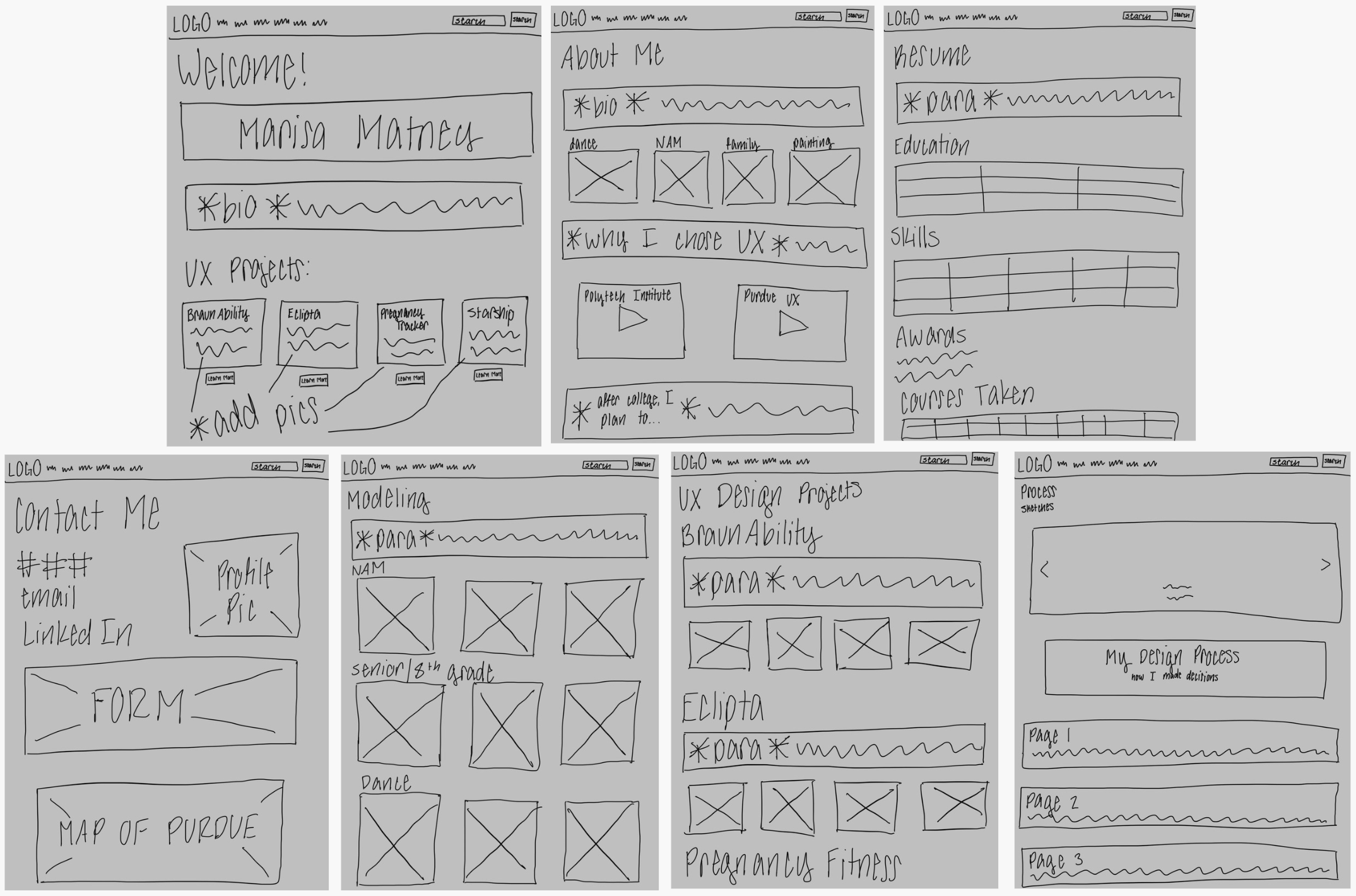
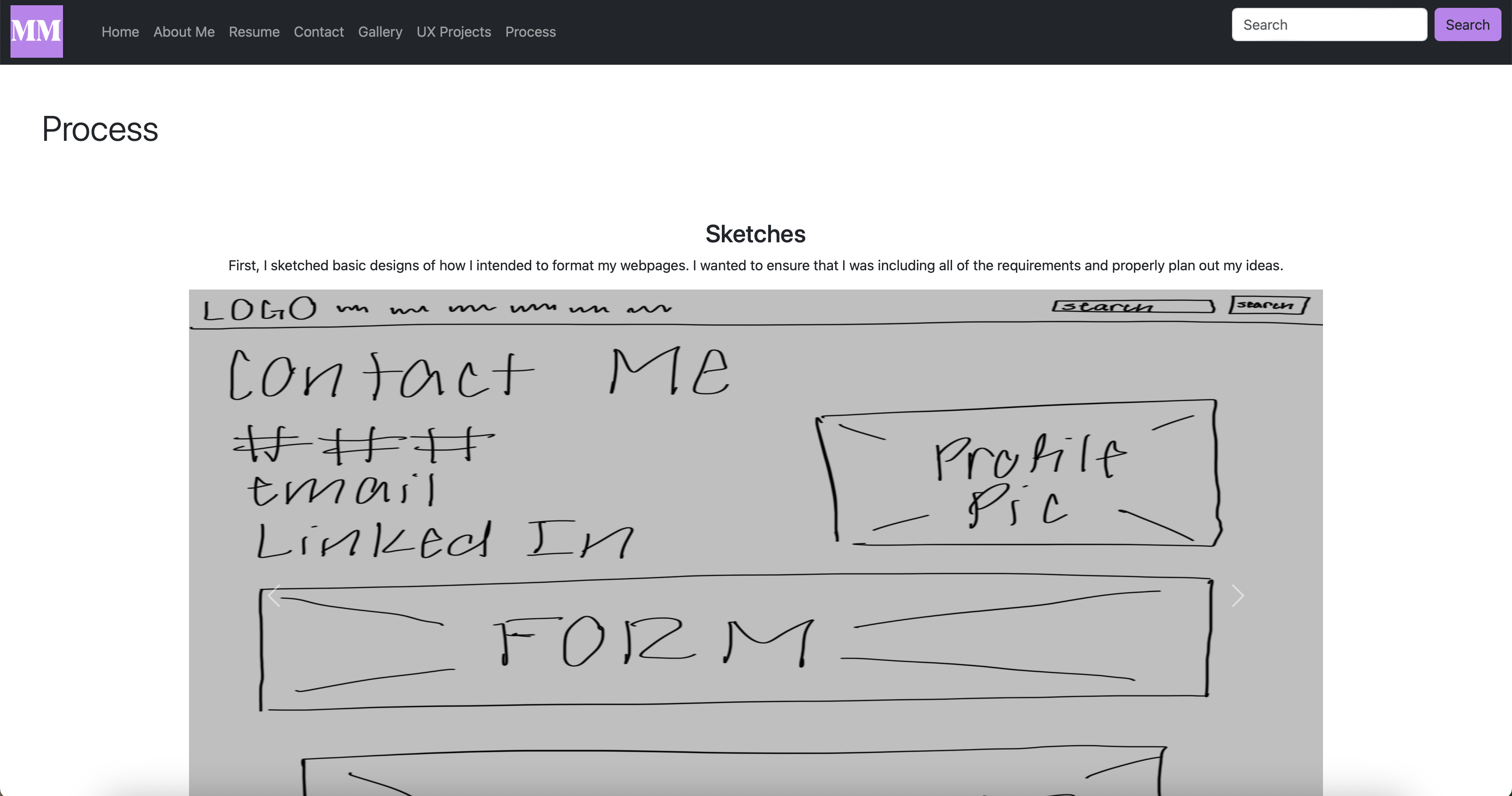
First, I sketched basic designs of how I intended to format my webpages. I wanted to ensure that I was including all of the requirements and properly plan out my ideas.
My Design Process
Homepage
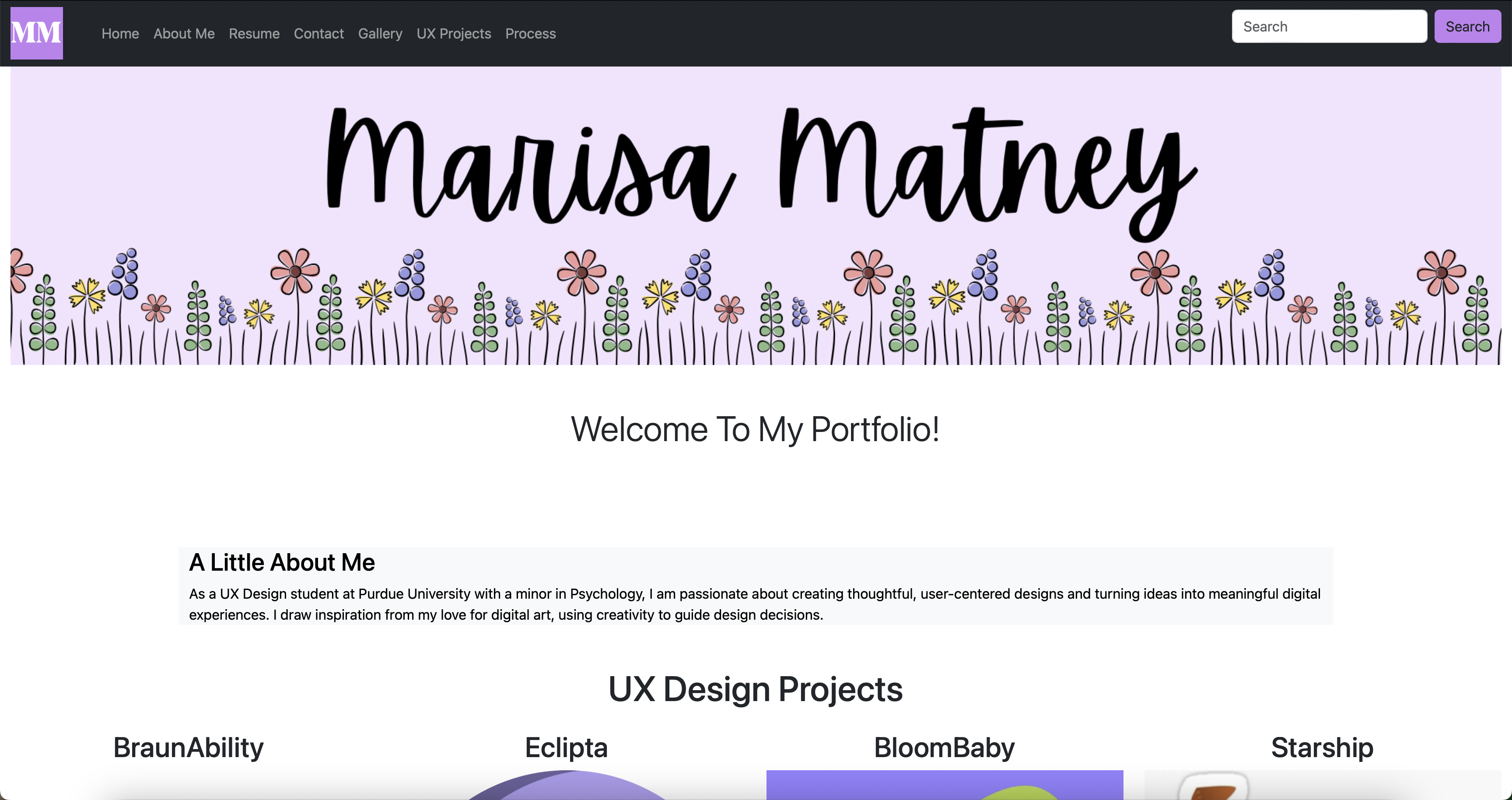
First, I created the banner with my name on Canva. Then, I decided to add my bio and some of my UX Design projects with short descriptions of what the projects included. I added more visuals by including the logos of the companies. If you click on the "Learn More" button, it will take you to the page on my Webflow portfolio that goes into more detail about the projects. This allows viewers to not be overwhelmed with information on the homepage. I also added a form for viewers to give me critiques on my portfolio. On this form, I also added a validation feature to ensure that viewers will fill in all of the information required.
Navigation Bar
For the navigation bar, I added my logo into the top left corner, which is the logo I designed for my Webflow portfolio. Then, I added all of the tabs for the pages and included a search bar in the top right corner.
Footer
Then, I created and designed the footer. I added my basic contact information, including my phone number, personal email, a link to my Webflow portfolio, and a link to my LinkedIn. I made sure to make the "Get In Touch" title big and clear for viewers. I also made sure that the footer was consistent on all pages.
About Me Page
First, I added my bio and a short paragraph about why I chose to major in UX Design. Then, I added some pictures that highlight my life outside of school and a video of my dog. At the bottom of the page, I added a short paragraph about what I plan to do after college with my UX major.

Resume Page
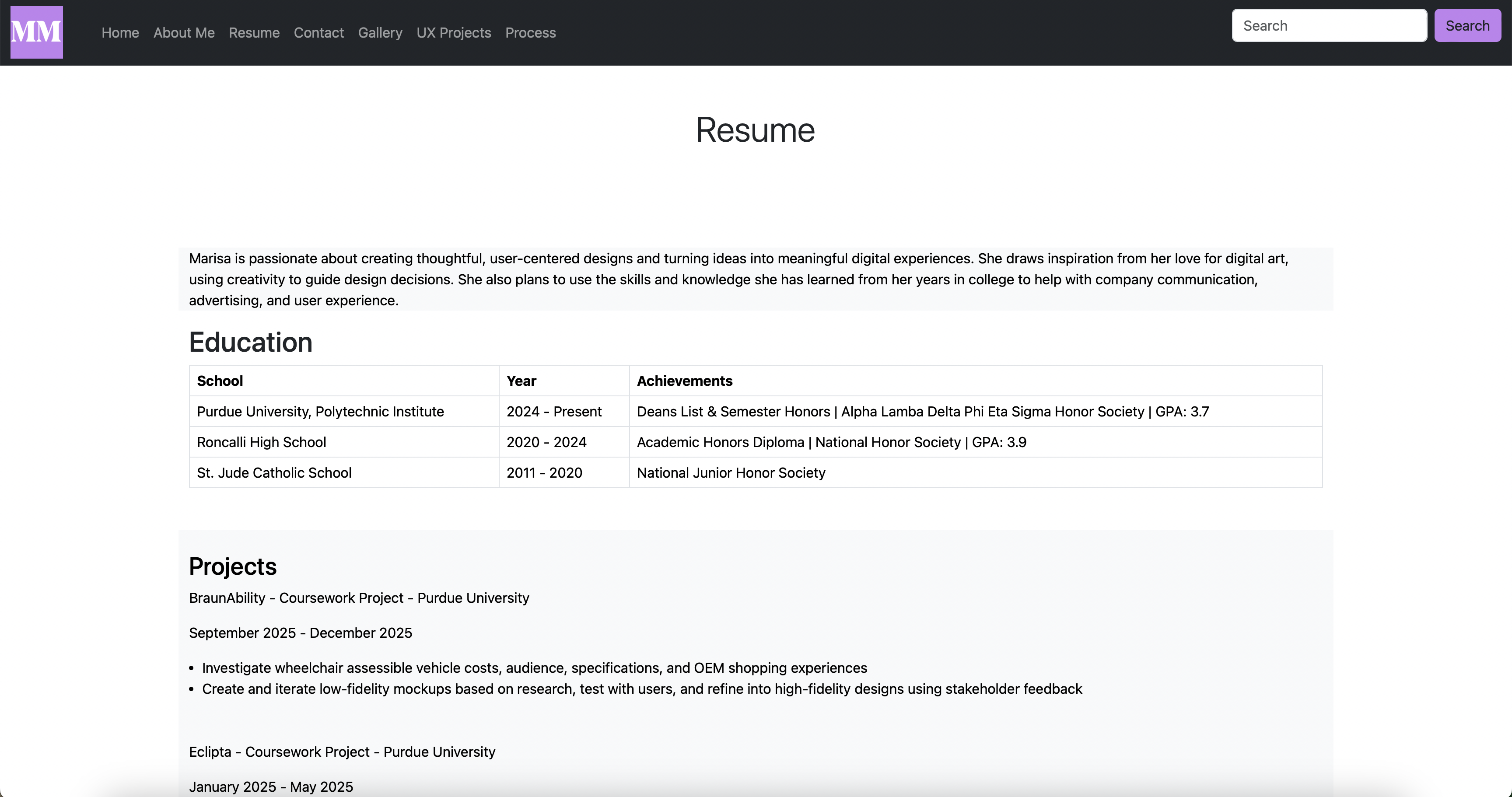
First, I added a short paragraph about myself. Then, I incorporated a table about my education that shows my schools, years, and achievements. I also included a section for my coursework projects and a section for work experience. I also made a table of my skills because I felt that a table was a better way to format the information rather than simply listing them. I listed my awards under the skills table and included a table of the courses I have taken in college sorted by the semester I took them in.
Contact Page
First, I added my phone number, personal email, Purdue email, a link to my portfolio, and a link to my LinkedIn. I also added a professional picture of myself to add visuals and a more professional feel. Then, I added a form to allow viewers to get in touch with me. On this form, I also added a validation feature to ensure that viewers will fill in all of the information required.

Gallery Page
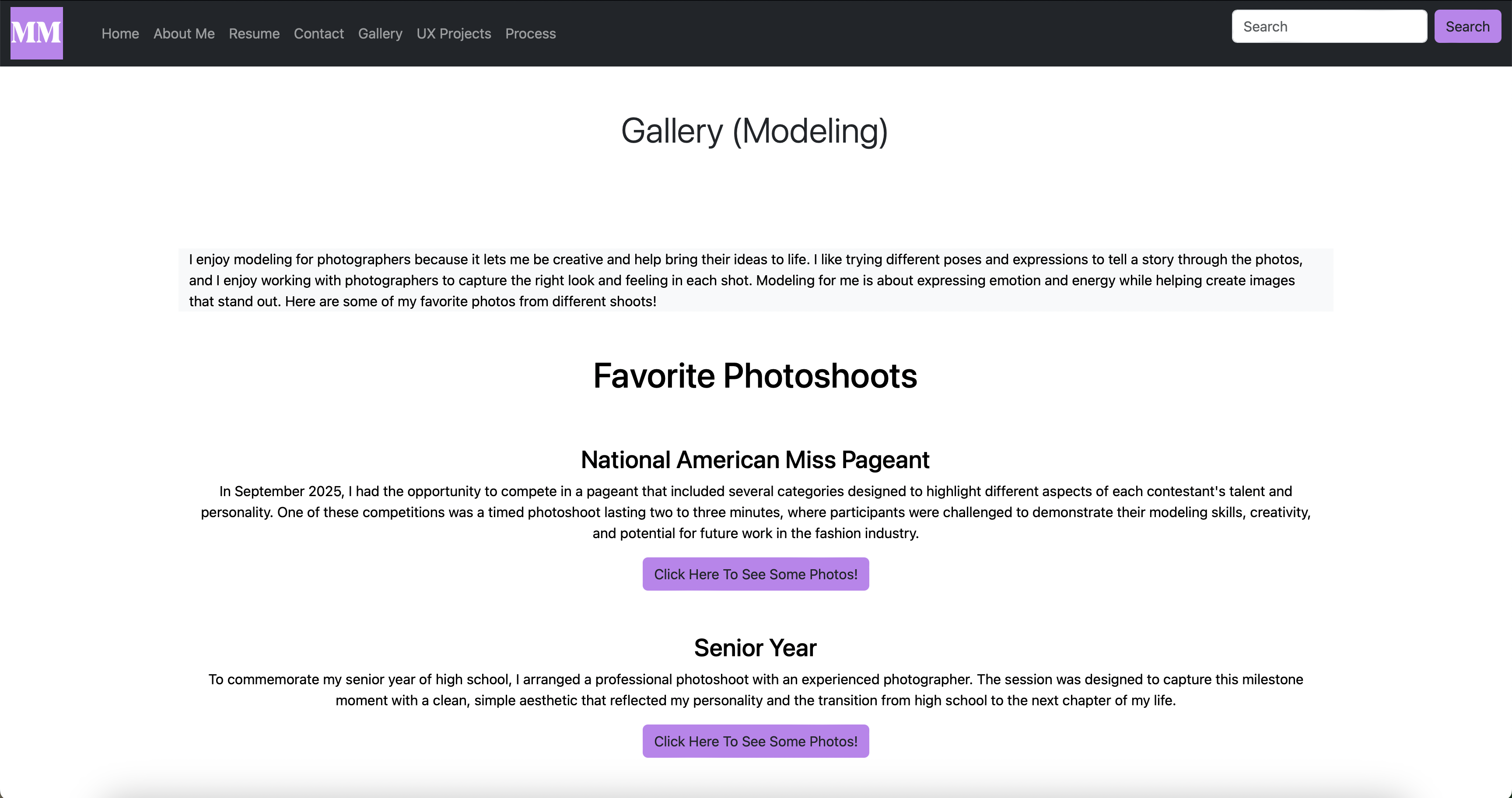
For my gallery page, I decided to showcase my modeling pictures. First, I added a paragraph talking about my love for modeling. Then, I added the photos and sorted them by the different shoots and different photographers I have worked with. I added the photos by using a collapsible button. If you click on the button, it will show some of my favorite photos from that specific shoot. I decided to format the photos in this manner to prevent users from being overwhelmed by the amount of images on the page. I also added a short description for each photoshoot to give users some background information.
UX Projects Page
This page goes in more detail about the UX Design projects that I have completed but still only gives a little summary. I added a paragraph to give a brief description of the project and some pictures to show part of the process. If you click on the "Learn More" button, it will take you to the page on my Webflow portfolio that goes into more detail about the projects. This allows viewers to not be overwhelmed with information.

Process Page
First, I added a carousel to show the sketches I created to plan out how I would format the pages. I included the title of the page on the bottom of the carousel to distinguish which sketch goes with each page. Then, I created a header section to show that I am about to talk about my design process. After that, I created separate sections for each page to describe my thought process.
Personal Reflection
This project introduced me to Bootstrap and allowed me to expand my knowledge on HTML and CSS code. I highly enjoyed the opportunity to experiment with different coding features and understand different coding techniques. In the future, I hope to continue practicing my coding skills and learn more coding platforms and concepts.